Ashraful Islam – Digital Marketing Consultant in Malaysia


SEO & Digital Marketing Expert in Selangor, Malaysia
I help businesses grow with SEO, Google Business Profile optimization, and Facebook ads. Focused on driving more traffic, leads, and real customers through proven digital marketing strategies.
Ashraful Islam (Digital Marketing Consultant)
October 12, 2026
Google Business Profile Optimization: Complete Guide for Malaysian Businesses
Google Business Profile optimization is the work of completing and improving your free Google listing. It helps your business show up on Google Maps and Google Search. It also helps nearby customers trust you and contact you.
Many Malaysian businesses set up a profile once and never touch it again. That is a missed chance. Your profile is often the first thing a customer sees. So it must be complete, accurate and active.
I’m Ashraful Islam, a marketing consultant in PJ and Subang Jaya. I help SMEs across the Klang Valley turn Google Maps views into calls, visits and enquiries. This guide shows you every step.
Want help with your profile? Book a consultation and we will review it together.
Key Takeaways
- A Google Business Profile is a free listing that controls how your business appears on Google Maps and Google Search.
- You can choose one primary category and up to nine extra categories. The primary category matters most.
- The business description has a limit of 750 characters.
- Real photos, honest reviews and regular posts give customers more reasons to contact you.
- The Performance report shows calls, website clicks and direction requests, so you can measure results each month.
What is a Google Business Profile and why does it matter?
A Google Business Profile is a free listing that shows your business details on Google. It shows your name, category, hours, photos, reviews, website and contact options in one place.
In Malaysia, most people search on their phones. They use Google Maps and Waze to find places. Then they call, message or drive over.
For example, a shopper at Sunway Pyramid searches for a dentist, a printing shop or a tuition centre nearby. Google shows a map with three businesses first. This is called the local pack. If your profile is weak, that customer picks someone else.
Your profile also gives Google clear facts about what you do and where you work. So a complete profile helps you in two ways. Customers trust you faster, and Google understands you better.
How do you claim and verify your Google Business Profile?
You claim your profile by searching for your business on Google while signed in, then following the steps to verify it. Google must confirm that the business is real before your profile goes public.
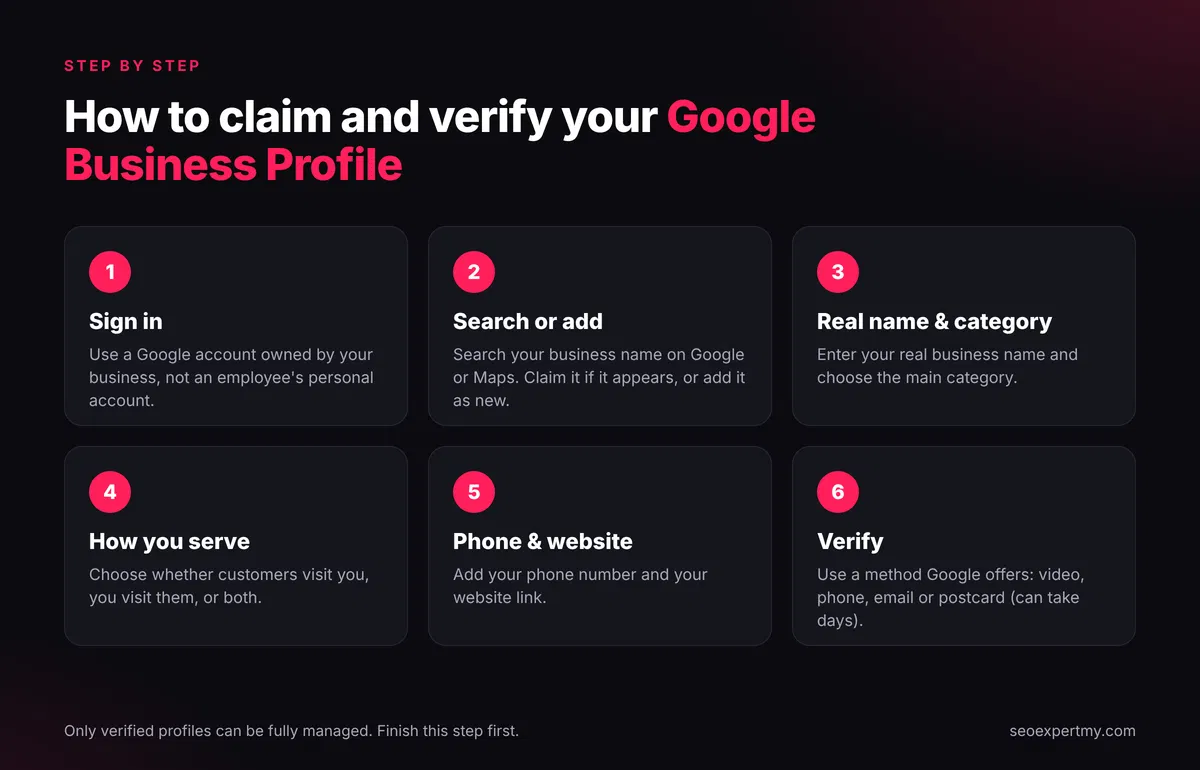
Follow these steps:
- Sign in with a Google account that your business owns. Do not use an employee’s personal account.
- Search for your business name on Google or Google Maps. If it appears, choose the option to claim it. If not, add it as a new business.
- Enter your real business name and choose your main category.
- Choose whether customers visit you, or you visit customers, or both.
- Add your phone number and website.
- Verify. Google offers the methods it allows for your business, such as a video, a phone call, an email or a postcard. A postcard can take several days to arrive.
Only verified profiles can be fully managed. So finish this step first.
How do you optimise each part of your profile?
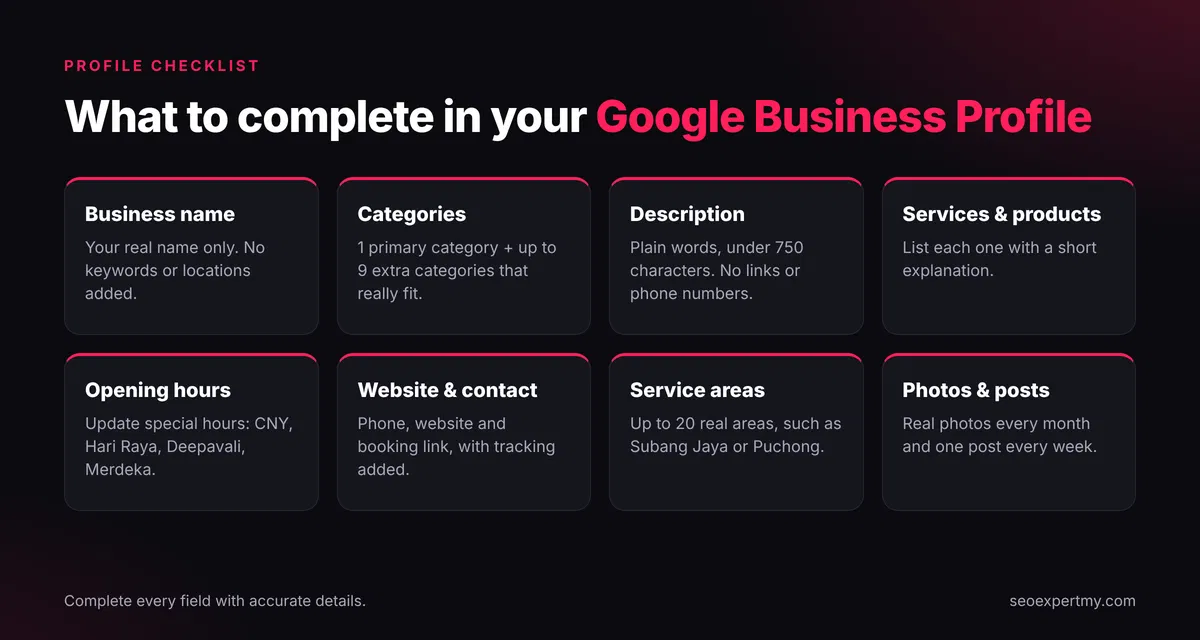
Complete every field with accurate details, and use the words your customers really search. Here is what to do for each part.
Business name
Use your real business name, exactly as it appears on your signboard, invoice or SSM registration. Do not add keywords or locations to the name. Google can suspend profiles that do this.
Categories
Choose the category that best describes your main business. Then add extra categories for your other services. A dental clinic, for instance, may add “Cosmetic dentist” as a second category. Do not add categories that do not fit.
Description
Write a clear description in plain words. Say who you help, what you offer and where you serve. Keep it under 750 characters. Do not add links, phone numbers or special offers.
Services and products
List each service with a short explanation. Add products if you sell them. This gives Google more detail, and it helps customers compare you quickly.
Opening hours and special hours
Set your regular hours. Then update special hours for Chinese New Year, Hari Raya, Deepavali, Merdeka Day and other holidays. Wrong hours lead to angry customers and bad reviews.
Website and contact links
Add your main website link and phone number. Use a link to your booking page as the appointment link if you take bookings. Add tracking to your website link so you can see profile visits in Google Analytics 4.
Service areas
If you visit customers, you can set service areas. You can add up to 20. Choose real areas, such as Subang Jaya, Bandar Sunway, Puchong or Shah Alam. If you work from home, you can hide your address. Then customers see your service areas instead.
Which photos and posts should you add?
Add real photos of your business, your team and your work. Then post an update every week. Fresh activity shows customers that you are open and active.
Photos to add:
- Your logo and a cover photo
- The outside of your shop, with a clear view of the signboard
- The inside of your shop or office
- Your team at work
- Your products, projects or results
Avoid stock photos. Customers can tell the difference.
Posts to share: New services, helpful tips, seasonal notices and answers to common questions. Keep each post short and clear. Add a button, such as Book or Learn more, to guide the next step.
How do you get and manage Google reviews?
Ask every happy customer for a review, and reply to every review you receive. Reviews build trust, and they are one of the main reasons customers choose one business over another.
Follow these simple rules:
- Share your review link by WhatsApp or in person right after a good job.
- Ask all customers, not only the happy ones. Google does not allow you to block bad reviews.
- Never pay for reviews or offer rewards for good ratings.
- Reply politely within a few days. Thank people for good reviews.
- For a bad review, stay calm. Say sorry, offer to fix it, and move the chat to a private message.
Also encourage customers to mention the service they used. For example, “They fixed our aircond in USJ the same day” helps future customers see what you do.
What are the most common Google Business Profile mistakes?
The most common mistakes are keyword stuffing in the name, the wrong category, a fake address and ignored reviews. Here is a quick table.
| Mistake | Why it hurts | Fix |
|---|---|---|
| Adding keywords to the business name | Google can suspend the profile | Use your real name only |
| Wrong or missing categories | Google shows you for the wrong searches | Pick the best fit as primary |
| Using a virtual office or fake address | Google may refuse or suspend the profile | Use a real address, or hide it and set service areas |
| Duplicate profiles | Reviews and data split across listings | Merge or remove the duplicates |
| Different name, address or phone across the web | Google gets confused | Keep the details the same everywhere |
| No photos or old photos | Customers doubt you are active | Upload new real photos every month |
| Ignoring reviews | Customers see you do not care | Reply to every review |
| Wrong holiday hours | Customers arrive at a closed shop | Set special hours early |
How do you measure Google Business Profile results?
Use the Performance report in your profile. It shows how many people called you, clicked your website and asked for directions. It also shows the searches that led people to your profile.
Check these numbers each month:
- Calls
- Website clicks
- Direction requests
- Search terms that show your profile
- Views on Google Search compared with Google Maps
Then connect the data to your website. Add a tracking tag to your website link. This lets Google Analytics 4 show how many leads came from your profile. Handle customer details with care and follow Malaysia’s Personal Data Protection Act (PDPA) 2010.
What should you do every month?
Spend 30 minutes each month on your profile. Small, regular updates work better than one big effort a year.
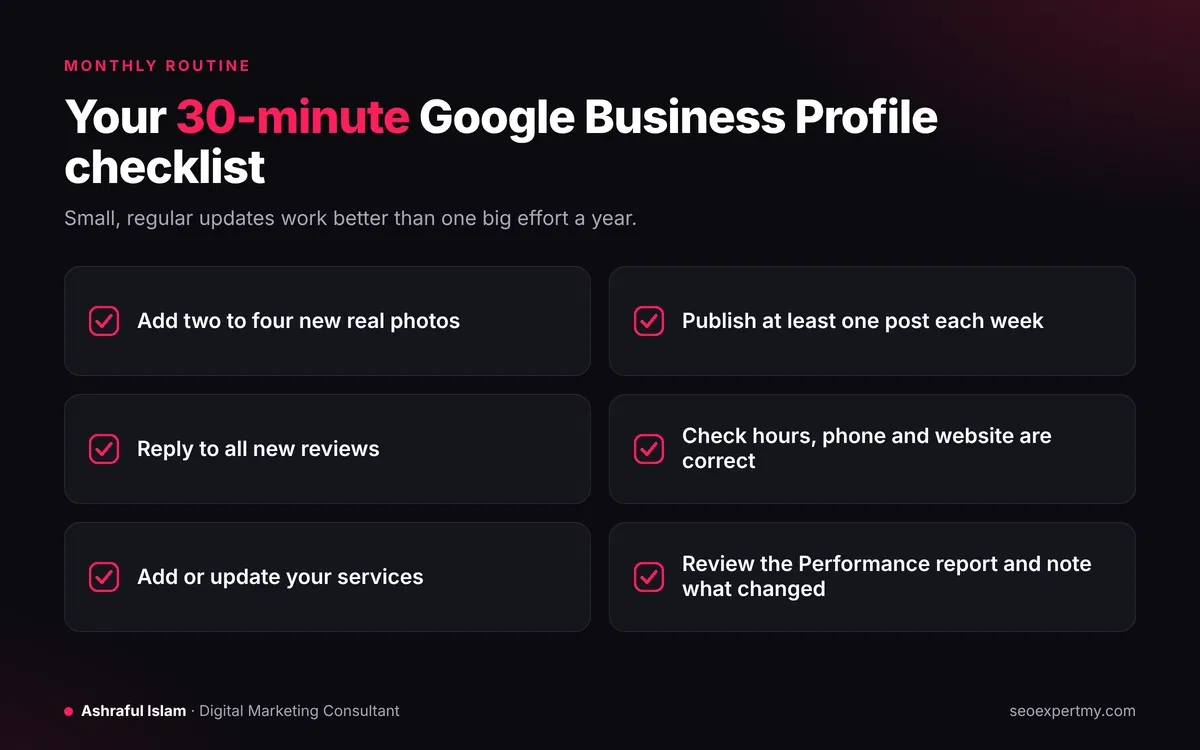
- Add two to four new real photos.
- Publish at least one post each week.
- Reply to all new reviews.
- Check that hours, phone and website are correct.
- Add or update services.
- Review the Performance report and note what changed.
Frequently Asked Questions
Is Google Business Profile free?
Yes. Creating and managing a profile costs nothing.
Can I have a Google Business Profile without a shop?
Yes, if you visit customers at their location. Set service areas and hide your address. You must still be a real business that serves customers in person.
Do I need a website if I have a profile?
It is not required, but it helps. A website gives Google more detail and gives customers more reasons to trust you. It also gives you a place to track leads and to publish helpful content.
How long does it take to see results?
Small improvements can show within weeks. Reviews, photos and steady posts build over months. Results depend on your competition and your area.
Why is my profile not showing on Google Maps?
Common causes are missing verification, a wrong category or a suspended profile. I explain these in a separate guide on why a business does not show on Google Maps.
Can I change my business name?
Yes, but only to your real business name. Google may review name changes, so do not use keywords or locations.
Ready to get more calls from Google Maps?
Start with the checklist above. If you want an expert to review your profile, my Google Business Profile optimization service can help. You can also see what I have achieved for other businesses in my results and case studies. I work with SMEs in Subang Jaya, Bandar Sunway, PJ, Puchong, Shah Alam, Klang and Kuala Lumpur.
About the author
Ashraful Islam is a digital marketing consultant based in Subang Jaya. He helps Malaysian SMEs and local businesses get more leads, enquiries and sales through SEO, local SEO, Google Ads, Meta Ads and ecommerce marketing. He serves businesses in Subang Jaya, Bandar Sunway, Petaling Jaya, Puchong, Shah Alam, Klang and Kuala Lumpur.
Related services: Digital Marketing Consulting, Performance Marketing and Customer Acquisition Strategy.